
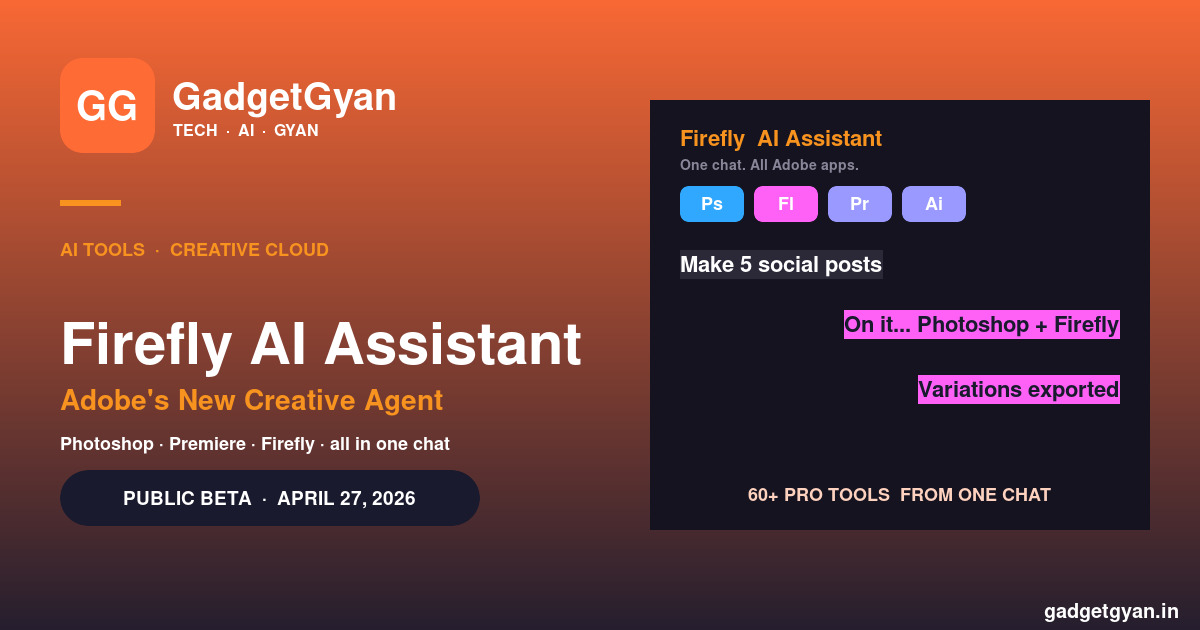
The Adobe Firefly AI Assistant is the biggest thing Adobe has shipped in years — a conversational AI agent that orchestrates 60+ pro-grade tools across Photoshop, Premiere, Firefly, Illustrator and Express from a single chat box. Launched in public beta on April 27, 2026, the Adobe Firefly AI Assistant is Adobe’s answer to “what does AI look like inside a creative workflow, not as a separate app?”. Here’s exactly what it does, how it changes Creative Cloud, and whether it’s worth turning on for Indian designers, photographers and editors.
Already use AI in your stack? Pair this with our best AI tools for Indian creators and best AI image generators 2026 guides.
Adobe Firefly AI Assistant in 30 seconds
🤖 What: Conversational AI agent inside Adobe Creative Cloud (public beta · April 27, 2026)
🛠️ Reach: 60+ pro tools across Photoshop · Premiere · Firefly · Illustrator · Express
💬 How: Describe what you want — it orchestrates multi-step workflows
🎯 Skills: batch edits · mood boards · retouching · social variations · product mock-ups
💸 Where: Free public beta · tied to Creative Cloud subscriptions long-term
What is the Adobe Firefly AI Assistant?
The Adobe Firefly AI Assistant is a conversational AI agent built into Adobe’s Creative Cloud, announced on April 15, 2026 and rolled into public beta on April 27, 2026. Instead of opening Photoshop, hunting for Generative Fill, jumping into Premiere, opening Firefly to make a thumbnail and stitching it all together — you describe what you want in one chat, and the assistant orchestrates the work across Adobe’s apps for you.
Think of it as “a creative director that knows every Adobe tool by heart and never gets tired”. You stay in charge of the outcome; the assistant does the busywork.
What the Adobe Firefly AI Assistant can do
Unified conversational interface
You describe what you want to create in plain language. The Adobe Firefly AI Assistant orchestrates and executes multi-step workflows across Creative Cloud apps, surfacing the results in the same chat — and keeping context across sessions so you can iterate over days, not minutes.
Pro-grade tool access from the chat
The assistant draws from 60+ pro-grade tools across Adobe’s suite — Auto Tone, Generative Fill, Remove Background, Vectorize, Presets and more. You don’t have to remember which menu hides which feature; you ask for the outcome and it picks the right tool.
Context follows you into the app
When you do need to jump into Photoshop for pixel-level edits, the Adobe Firefly AI Assistant’s conversation and context move into the app with you — no starting over, no losing your place.
Suggest, execute, you adjust
The assistant suggests actions, executes workflows and accelerates progress — but you stay in control of the outcome. Step in at any point to refine outputs, redirect the work or adjust details as the project evolves.
Creative Skills — the pre-built workflows
The Adobe Firefly AI Assistant ships with a growing library of Creative Skills — pre-built workflows for the tasks creators repeat most often:
- 📸 Batch-edit photos — consistent tone across an entire shoot
- 🎨 Build mood boards — pull references + AI-generated comp images into one board
- 👤 Retouch portraits — skin, lighting, background clean-up
- 📱 Create social variations — one design → Instagram, Story, Reel cover, YouTube thumbnail
- 📦 Design product mock-ups — drop your product into branded scenes
For Indian creators making the same kind of content daily (e-commerce shoots, social agencies, wedding portrait studios), Creative Skills are the obvious time-saver.
How it’s different from regular Adobe Firefly
| Aspect | Regular Adobe Firefly | Adobe Firefly AI Assistant |
|---|---|---|
| Interface | Web app — text-to-image, generative fill | Chat that runs across all CC apps |
| Scope | Mostly Firefly itself + Generative Fill | 60+ tools across Photoshop, Premiere, Firefly, Illustrator, Express |
| Multi-step | One prompt → one output | One prompt → multi-step workflow |
| Memory | Single-session | Persistent context across sessions |
| Best for | Quick image gen | Whole creative projects + repeat workflows |
Availability & price (India)
The Adobe Firefly AI Assistant is in public beta as of April 27, 2026 — free to try while in beta. Long-term, it’s tied to Adobe Firefly / Creative Cloud subscriptions. Indian designers and photographers who already have a Creative Cloud plan (Photography, Single App, or All Apps) get access through their existing subscription.
If you’re choosing AI image tools first, see our best AI image generators 2026 for Indians guide — Firefly + AI Assistant is the pro-grade pick; for free + fast, Google Imagen wins.
Adobe Firefly AI Assistant FAQs
What is the Adobe Firefly AI Assistant in simple words?
It’s a chat-based AI agent that sits inside Adobe Creative Cloud and runs multi-step creative jobs for you across Photoshop, Premiere, Firefly, Illustrator and Express — instead of you having to do each step manually in each app.
Is the Adobe Firefly AI Assistant free?
It’s free to try in the public beta that launched April 27, 2026. Once it exits beta it’s expected to bundle with Creative Cloud / Firefly subscriptions — so existing Creative Cloud subscribers in India will get access through their current plan.
Can it replace a designer?
No. The Adobe Firefly AI Assistant suggests + executes routine workflows, but you direct the outcome and step in to refine. It accelerates designers — it doesn’t replace creative judgement, taste or final decisions.
What’s the difference between Firefly and the Firefly AI Assistant?
Adobe Firefly is the image model + web app (text-to-image, generative fill). The Adobe Firefly AI Assistant is a chat-based AGENT that uses Firefly plus 60+ other Adobe tools across multiple apps to complete entire projects, not just generate images.
Will the AI Assistant work inside Photoshop, not just Firefly?
Yes — that’s the whole point. When you move into Photoshop for pixel-level editing, the conversation and context follow you into the app, so you keep building without starting over.
Is it useful for Indian creators specifically?
Yes if you’re already on Creative Cloud — especially for repeatable jobs (e-commerce product shots, social-post variations, wedding/portrait retouching). The Creative Skills library is built for exactly these workflows.